Starter
£29.99/ month
Up to 25 employees
- Unlimited Employees
- Attendance (Biometric, QR, Manual)
- Shift Scheduling
- Geo-fencing
- Basic Reports
- User Roles (Admin & Staff)
- Mobile App (iOS & Android)
- Email Support

Please wait a moment while we load your experience.
Workforce management platform
An all-in-one field team and workforce management application to streamline operations, track attendance, verify locations, manage shifts and monitor your field workforce in real time.
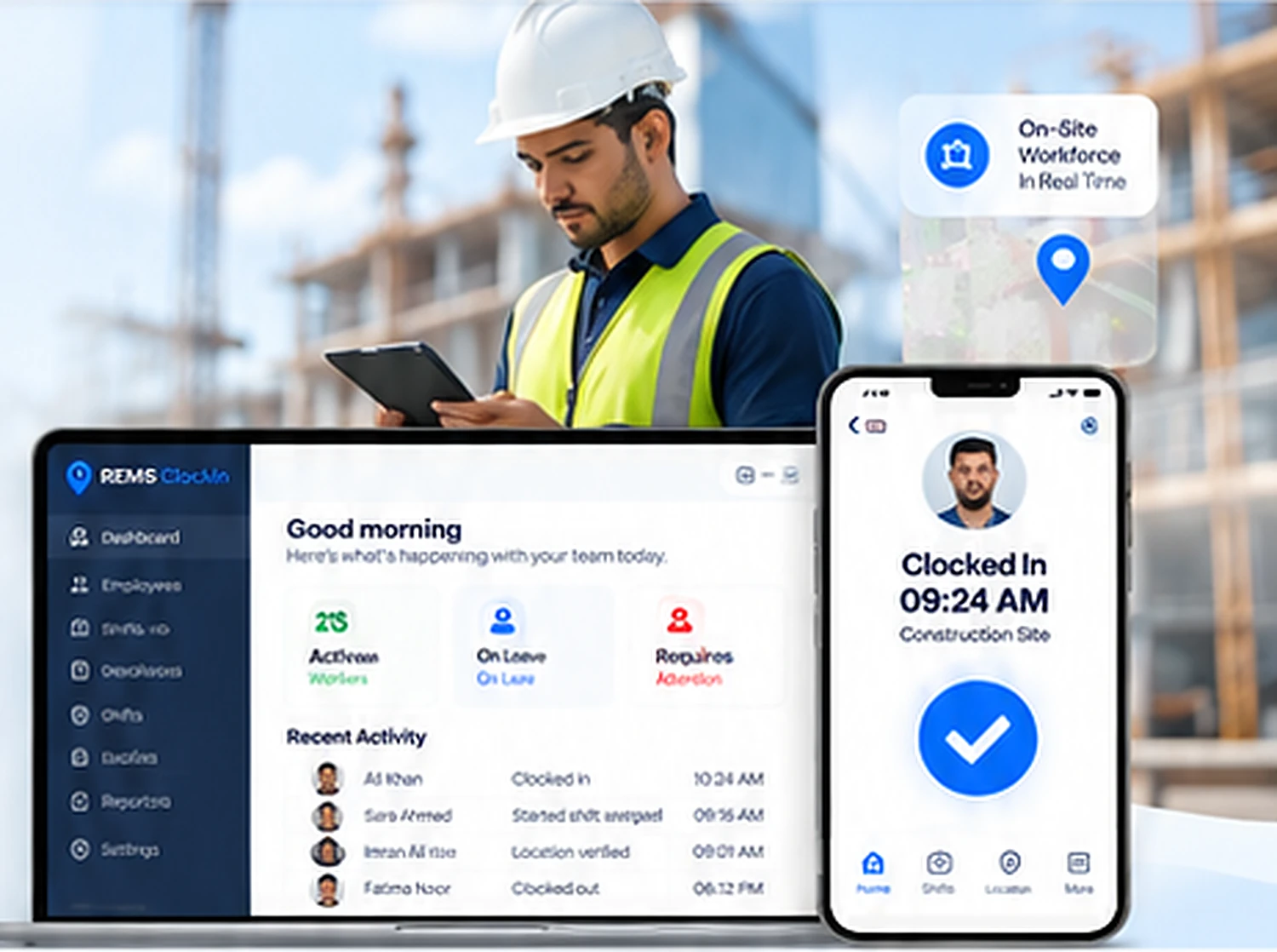
Everything you need to manage your field workforce effectively.
Accurate check-in/out with location and time validation.
Assign and manage shifts with ease and flexibility.
Secure mobile clock-in/out with GPS and location verification.
Different access levels for admin, manager and field staff.
Build and update shift rosters with real-time notifications.
A dedicated mobile app designed for field teams.
Generate detailed reports and export in multiple formats on demand.
Set location boundaries for work sites and restricted areas.
Works even with limited internet connectivity.
Instant alerts for missed check-ins or real-time deviations.
Live dashboard with attendance, locations and workforce insights.
Trusted by organizations across multiple industries to manage their remote and on-site workforce.
Manage guards, sites and visitor logs with confidence.

Track staff and tasks across multiple properties.

Manage care staff and ensure on-time visits.

Monitor on-site teams and improve project delivery.
Get started in four simple steps.
Enter your team details, add work sites and set up locations and geofences.
Create and assign shifts for your employees.
Using mobile app, QR code or manual check-in.
Track attendance, locations and get detailed real-time reports.
Transparent pricing for teams of all sizes. VAT may apply.
Up to 25 employees
Up to 250 employees
Up to 1,000 employees
Find answers to common questions about REMS ClockIn.
REMS helps improve attendance accuracy, gives real-time workforce visibility, supports geo-fencing, and provides reporting and analytics to help employers manage teams more effectively.
Employees can view their attendance history from the Attendance section in the REMS app, including worked hours, overtime, and shift dates.
Employees can clock in and out using supported methods such as biometric verification, QR-code scanning, or traditional time-clock authentication.
Users can contact the REMS support team through email, phone, or live customer support for assistance with the application.
Share your contact details through the enquiry form, and the team can contact you to arrange a demo, discuss your workforce requirements, and recommend the suitable package.
Arrange a demo, get a personalized walkthrough or discuss your requirements with our team.